
TL;DR:
- Almost half of all support tickets occur outside regular business hours, posing a significant risk to customer satisfaction and retention. Defining clear after-hours windows, building robust escalation paths, and choosing suitable automation or live models are crucial for sustainable multilingual support. Implementing data-driven pilots, continuous improvement, and outsourcing can enhance after-hours operations while managing costs effectively.
Almost half of all support tickets never arrive during business hours. 47% of IT support tickets land outside standard working windows, yet most organizations still treat off-peak coverage as a secondary concern. For telecom operators, SaaS platforms, and e-commerce brands serving international markets, that gap is not a minor inconvenience. It is a direct threat to customer retention, brand reputation, and revenue. This guide walks you through how to understand real demand, define clear service boundaries, build smarter escalation workflows, pilot multilingual coverage, and choose the right model for sustainable after-hours support.
Table of Contents
- Understanding after hours support demand
- Defining after hours and setting clear SLAs
- Escalation, triage, and avoiding automation 'dead ends'
- Piloting and scaling multilingual after hours support
- Automation-first vs. 24/7 live agent models: what works best?
- Why most after hours support strategies fall short, and what actually works
- Partnering for seamless after hours and multilingual support
- Frequently asked questions
Key Takeaways
| Point | Details |
|---|---|
| Significant after-hours demand | Almost half of support requests arrive after standard business hours, making coverage essential. |
| Define business vs. after-hours | Clear definitions and SLA alignment prevent confusion and set the stage for effective support. |
| Avoid AI-only ‘dead ends’ | Automation should always provide a human escalation path, especially at night. |
| Pilot and iterate | Structured pilots with measured outcomes refine after-hours support before scaling. |
| Strategic outsourcing pays off | Expert partners enable reliable, multilingual, and efficient after-hours support for global businesses. |
Understanding after hours support demand
To understand why after-hours support can't be an afterthought, let's look at the real data and what it means for day-to-day operations.
Many leadership teams assume that after-hours requests are low-stakes, low-volume, and easily handled by a chatbot. That assumption is wrong in almost every case. Customers don't schedule their technical failures or billing disputes around your office calendar. A SaaS platform going down at 11 PM on a Friday is just as damaging as one failing on a Tuesday morning. The difference is that after-hours failures often go unresolved far longer.
The data confirms the scale of the problem. IT support tickets submitted after hours account for nearly half of all volume, and response times during those windows are significantly slower. Slower resolution directly correlates with lower customer satisfaction scores (CSAT) and higher churn probability. In competitive markets like SaaS subscriptions or telco contracts, even a single frustrating after-hours experience can tip a renewal decision in the wrong direction.
| Support window | Average ticket volume | Average first response time |
|---|---|---|
| Business hours (9am to 6pm) | ~53% of daily tickets | Under 2 hours |
| After hours (6pm to 9am) | ~47% of daily tickets | 4 to 8+ hours |
| Weekends and holidays | High spike risk | Often 12+ hours |
"The assumption that support demand drops after 6 PM is one of the most expensive mistakes a growing company can make. Customers in different time zones are just starting their workday when your team logs off."
The business impact compounds quickly. Slow after-hours response leads to:
- Higher ticket backlog at opening time, creating a pressure spike that degrades daytime performance too
- Negative public reviews posted in real time on social channels when customers feel ignored
- Reduced trust in subscription renewals and enterprise contract negotiations
- Increased churn among customers who view responsiveness as a product feature, not a bonus
For multilingual operations serving Germany, France, Poland, or Spain from a central hub, the stakes are even higher because cultural expectations around response speed vary significantly across European markets.
Defining after hours and setting clear SLAs
With demand established, the next stumbling block is often failing to define when "after hours" truly begins for your operation.
This sounds simple, but it's one of the most overlooked technical decisions in customer support planning. Defining business hours precisely is critical for accurate SLA (service level agreement) reporting and for setting realistic customer expectations. Without a clear definition, your SLA metrics become unreliable, and you risk penalizing agents for response times that fall legitimately outside covered windows.
Different industries draw the line differently:
| Industry | Typical primary hours | Common after-hours risk zone |
|---|---|---|
| Telecom | 8am to 8pm local | Late evening and overnight outages |
| SaaS | 9am to 6pm per region | Weekends, public holidays, and end-of-month billing cycles |
| E-commerce | Extended hours during peak season | Black Friday overnight, holiday shipping crises |
For multilingual environments, the complexity grows. A Spanish-speaking customer contacting support at 7 PM CET (Central European Time) might be inside your defined window for one region but outside it for another. Time zone mapping, language routing, and coverage slab definitions need to align before you can measure performance accurately.
Here's a practical framework for defining your coverage architecture:
- Map your customer time zones against current staffing hours to identify real coverage gaps by language and region.
- Define primary hours per language rather than relying on a single global window that serves no market well.
- Agree on SLA tiers: critical issues (system outages, billing failures) need faster SLA targets than general inquiries even after hours.
- Document handover procedures so after-hours agents or automation systems know exactly what context to capture and pass forward.
- Communicate coverage windows clearly in your help center, email footers, and IVR (interactive voice response) greetings to set expectations before frustration builds.
Pro Tip: Build your SLA clock logic so that it automatically pauses during periods outside defined business hours, then resumes at opening time. This prevents your metrics from being polluted by legitimate after-hours gaps and gives you clean data for performance reviews.
Escalation, triage, and avoiding automation 'dead ends'
Clear definitions are just one part of the puzzle; how requests are handled in real time and how customers avoid frustration is where the real test lies.
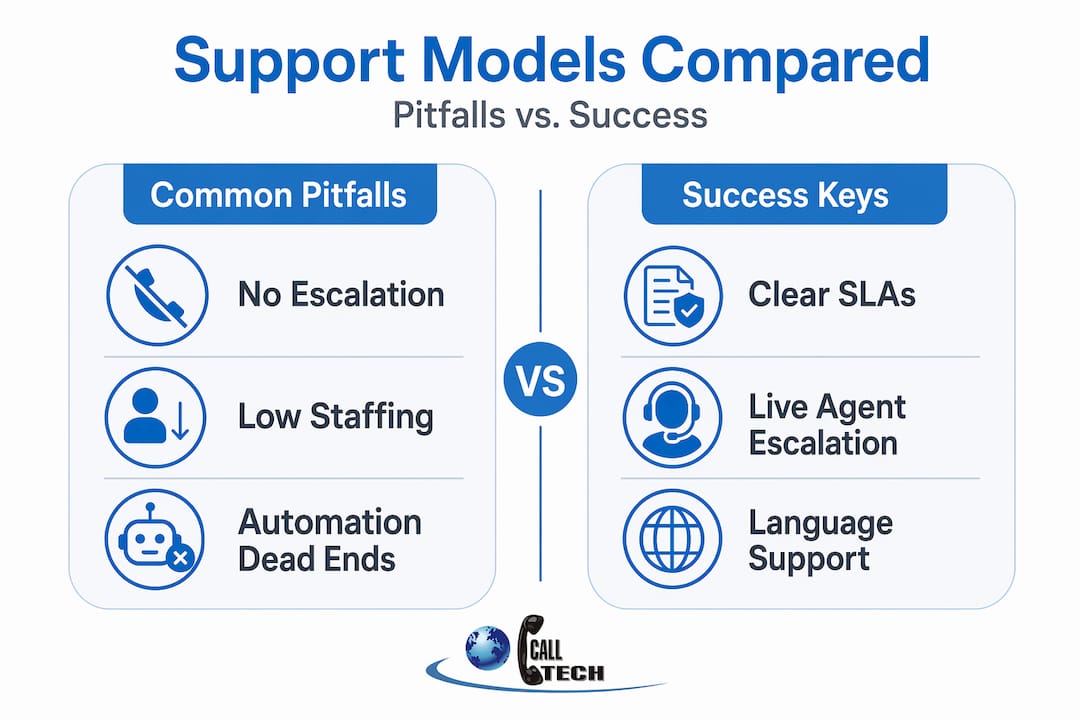
The most common after-hours failure mode is not bad automation. It's automation with no exit. Customers escalate through a chatbot or IVR flow, reach a point where the system can't help them, and then get told to "try again during business hours." That response is the fastest way to lose a customer who had a solvable problem.
Robust after-hours escalation policies address edge cases by building in proper triggers, evidence capture, and clear human fallback paths. The best escalation frameworks share several common elements:
- Defined triggers for human escalation: billing failures above a threshold, complete service outages, safety-related issues, or any customer who has contacted support more than twice on the same issue within 24 hours
- Timeout rules: if a customer doesn't respond to an automated step within 90 seconds, the system moves them forward rather than leaving them in a loop
- Context capture at every step: ticket ID, issue category, prior contact history, and customer sentiment score are logged before any handover
- Transparent queue management: customers receive a realistic time estimate and a case reference number, not a vague "we'll get back to you soon"
- Morning review sweep: every unresolved after-hours ticket gets a priority assessment by a senior agent before the team starts taking new inbound contacts
"Dead-end automation doesn't just frustrate customers. It actively destroys the trust that your daytime agents spend all week building."
Applying contact center best practices means treating after-hours triage as a deliberate workflow, not a fallback. The support process improvement guide reinforces this: continuous iteration on escalation paths, not one-time setup, is what separates high-performing teams from struggling ones.
For global teams, you also need to apply global customer support strategies that account for language barriers at the escalation stage. A German-speaking customer escalated to an English-only after-hours agent is not really escalated at all.
Pro Tip: Run a monthly "dead-end audit" on your after-hours bot conversations. Look for sessions where the customer disengaged without a resolution or a confirmed callback. Each of those is a direct measure of policy failure, and fixing even one common exit point can meaningfully improve CSAT.
Piloting and scaling multilingual after hours support
Once technical policies are in place, the next step is to turn best practices into action through data-driven pilot programs.
A structured pilot methodology is the fastest way to move from strategy to working operations without overspending or committing to a structure that doesn't fit your real demand profile. Here's how to run one that produces reliable data:
- Select a single language or region to pilot first, ideally one where you already have some after-hours ticket volume you can measure against a baseline.
- Staff the pilot lean: two to three dedicated agents per shift is enough to test workflows without large cost exposure.
- Define your macro library: agents need pre-approved response templates for the 15 to 20 most common after-hours issue types so they can respond quickly and consistently.
- Set a pilot timeline: eight to twelve weeks is enough to capture at least two billing cycles, one weekend peak, and any seasonal variance.
- Review QA overnight: a supervisor reviews a sample of after-hours contacts each morning before the main shift starts, flagging patterns and policy gaps.
- Lock your KPIs before launch: agree in writing which metrics define success or failure before the pilot begins.
| KPI | What it measures | Target during pilot |
|---|---|---|
| First contact resolution (FCR) | Issues resolved without follow-up | 65%+ for after-hours |
| SLA achievement rate | Tickets responded to within defined window | 85%+ |
| Customer satisfaction score (CSAT) | Post-contact survey rating | 4.0+ out of 5 |
| Escalation rate | % of contacts reaching human agent | Track trend, not absolute |
| After-hours ticket volume | Raw demand data | Baseline for capacity planning |
For multilingual customer support operations, localization goes beyond language. Consider cultural expectations around formality, acceptable response times, and issue severity framing when designing your macros and escalation scripts.
When the pilot delivers consistent results, scaling is a process of replicating the same staffing model, tooling, and QA rhythm across additional languages. The help desk outsourcing guide covers the operational mechanics of scaling this type of program without quality erosion.
Pro Tip: Add a "language confidence flag" to your after-hours tickets during the pilot. Agents self-report when they're handling a contact in their non-primary language. This surfaces localization gaps before they become a systemic CSAT problem.
Automation-first vs. 24/7 live agent models: what works best?
Scaling your solution brings crucial decisions on cost, coverage, and technology, so let's explore the key models for after-hours support.
Full 24/7 live agent coverage is usually expensive and very difficult to staff, especially when you need multiple languages. Outside of heavily regulated industries like healthcare or financial services, most companies find that pure live-agent models after hours are not cost-effective. The automation-led model, where smart triage handles routine contacts and human escalation covers critical issues, has become the dominant approach.
| Model | Pros | Cons | Best for |
|---|---|---|---|
| Full 24/7 live agents | Outcome parity with daytime, handles complexity | High cost, staffing difficulty, attrition risk | Regulated industries, enterprise SaaS with uptime SLAs |
| Automation-led with human fallback | Scalable, cost-effective, covers most volume | Requires strong escalation design to avoid dead ends | E-commerce, mid-market SaaS, telecom consumer lines |
| Callback-only after hours | Low cost, sets clear expectations | Frustrates urgent cases, risks churn | Narrow product lines with predictable low urgency |
The goal in most cases is outcome parity: the customer who contacts you at 2 AM should experience roughly the same quality of resolution as one who contacts you at 2 PM. That doesn't require equal staffing. It requires better design.
Key factors that determine model choice:
- Average ticket complexity: high-complexity, high-value contacts need human touchpoints regardless of time
- Language coverage requirements: automation handles fewer edge cases effectively in non-English languages
- Customer segment: enterprise B2B customers have lower tolerance for automation-only paths than individual consumers
- Regulatory obligations: some markets mandate response time guarantees that automation alone cannot reliably meet
The outsourced vs. in-house support comparison is particularly instructive here. For most growing companies, outsourcing after-hours coverage to a specialist partner produces better outcomes at lower cost than building internal overnight teams.
Why most after hours support strategies fall short, and what actually works
After examining different approaches, it's worth stepping back to challenge some of the myths and persistent pitfalls in after-hours support.
The most common mistake we see across telecom, SaaS, and e-commerce clients is treating after-hours support as a cost problem when it's really a design problem. Teams invest in chatbots, set up a basic IVR, and consider the problem solved. Then they're surprised when CSAT scores for after-hours contacts are consistently 20 to 30 percent below daytime scores.
The real issue is usually one of three things. First, automation is deployed without any real understanding of the contact types it will encounter after hours. The bot is trained on daytime FAQ patterns, which don't reflect the higher urgency and emotional intensity of late-night contacts. Second, escalation paths are drawn on paper but never tested under realistic conditions. The first time an agent actually tries to follow the escalation procedure, they discover that three steps require access permissions they don't have. Third, language and cultural context are ignored entirely.
What high-performing teams do differently is build after-hours support as a distinct operational product, not a reduced version of daytime support. They define separate agent profiles, separate macro libraries, and separate QA standards for after-hours contacts. They review after-hours performance data weekly, not quarterly. They treat every dead-end automation session as a product defect, not an acceptable loss.
Working with outsourcing partners for global support who already have the multilingual staffing, overnight QA processes, and technology infrastructure in place removes the majority of these design risks. The lesson from nearly 20 years of running multilingual support operations is simple: after-hours excellence is not a one-time project. It's a continuous operational discipline.
Partnering for seamless after hours and multilingual support
Building an effective after-hours support operation from scratch is complex, time-consuming, and expensive, especially when multilingual coverage across European markets is part of the equation.

CallTech Outsourcing has been helping telecom, SaaS, and e-commerce companies design and operate multilingual after-hours support since 2005. Our teams cover more than 15 European languages with modern VOIP infrastructure, CRM integration, and proven escalation frameworks already in place. Whether you need to extend existing coverage, launch a new language, or redesign your entire after-hours model, we build the operational structure around your specific customer base and SLA requirements. Explore our outsourcing call center services, learn how we approach multilingual support engagement, and see how we help clients succeed at building remote multilingual teams.
Frequently asked questions
What is considered after hours in customer support?
After hours refers to any period outside a company's formally defined standard operating window. Accurate SLA reporting depends on these windows being documented clearly and communicated to both customers and agents.
Why do after hours support requests often take longer to resolve?
After-hours requests encounter reduced staffing, slower escalation chains, and heavier reliance on automation, all of which extend resolution times. Nearly half of IT tickets arrive after hours, yet response capacity during those windows is typically a fraction of daytime levels.
What's the best way to avoid customer frustration with after hours automation?
Design every automated flow with a clear human escalation path and avoid routing customers to dead ends by capturing full context for morning review. Effective escalation policy templates include defined triggers, timeout rules, and transparent queue communication.
How should a company start piloting after-hours support?
Start with a single language or region, use a lean team, set your KPIs before the pilot launches, and review QA results daily. A structured pilot approach lets you build a repeatable playbook before committing to full-scale rollout.